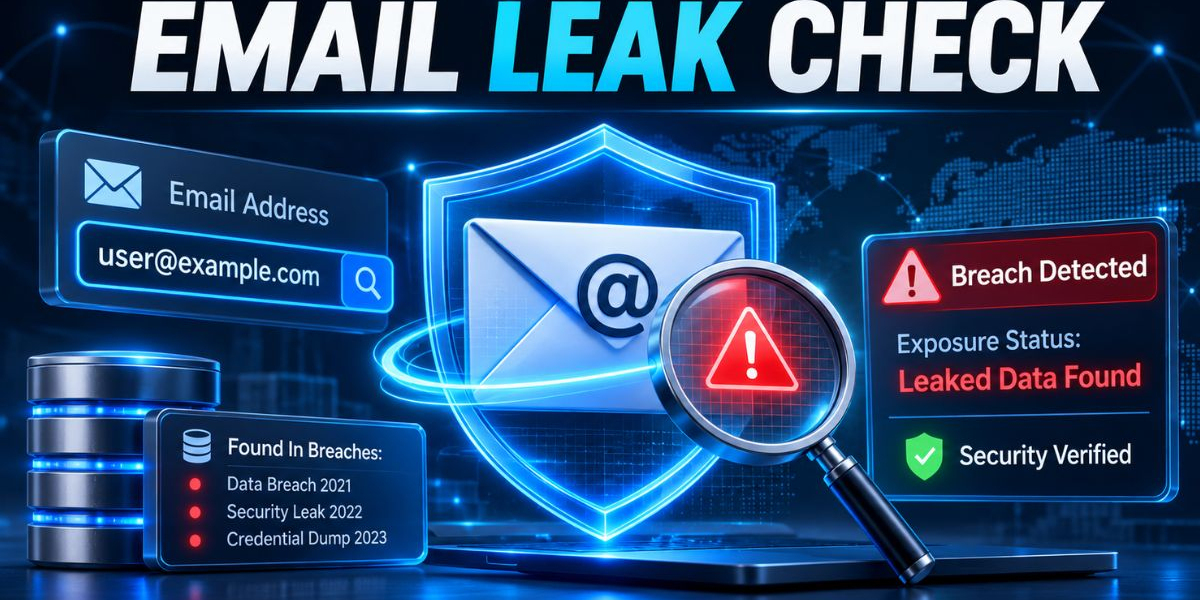

Most account takeovers don't start with a clever exploit. They start with a login that was already sitting in a stolen file. Someone's address and password were scraped from a breached site, pulled out of a browser by malware, or bundled into a combo list and an attacker simply tried them. An email leak check lets you find out whether your address is in that pile before somebody else does.The fastest way to get an answer is an email leak check that searches breach forums, infostealer logs, combo list data and public breaches for any record tied to the address. You type the address, run the search and learn whether it has surfaced in stolen data. That one fact decides whether a password stays in use or gets replaced today.
This playbook goes past the lookup itself. It explains what an email breach check is, how a leak scanner works, how to read a result, what to fix first and how security teams and MSSPs fold the check into everyday work. It also covers the myths that lead people to ignore a warning and how a one-time check compares with continuous monitoring.
What Is an Email Breach Check?
An email breach check is a search that tells you whether a specific email address appears in known breach data, infostealer logs, or leaked credential dumps. People also call it an email leak check, an email leak lookup, or an email leak test. It confirms exposure. It doesn't confirm that anyone has broken into your account.
The reason it matters is simple. A leaked address is the first half of a stolen login. If the matching password is still in use, on that site or any other, the exposure becomes a real risk. The check gives you an early warning and early warnings are the cheapest kind of security.
Three kinds of exposure an email check can surface
Not every hit means the same thing. Understanding the source helps you decide how urgent the response is.
Breach exposure. A company or service was compromised and its user records were taken. Public breaches fall into this group once they are disclosed or documented.
Infostealer exposure. Malware on a personal or work device collected saved logins and session data. The address appears because the device was infected, which often points to a bigger problem than one weak password.
Combolist exposure. Attackers merge older breach records and logs into large lists of email and password pairs, then trade or sell them on breach forums so others can test them against many sites.
All three end up in the same place: a credential dump that someone can use. The email leak search is how you find out whether your address is in one.
Exposed does not mean hacked
When people ask whether their email has been hacked, they usually mean two different things. One is whether the address shows up in stolen data. The other is whether someone has actually accessed the mailbox. A leak checker answers the first question only. If the address is exposed, the safest assumption is that the password is, too, until you change it and verify what is happening on the account.
How an Email Breach Check Works
An email breach check takes one address and looks for records tied to it across collected stolen-data sources. If the address appears, the tool tells you it was found. The Mispar tool searches the same breach forums, infostealer logs and combolist data that power its full platform, so the check reflects the same sources a security team would use for deeper work.
Matching the address against collected data
Behind any leak checker is a body of collected data. Researchers and monitoring platforms gather it from criminal forums, from drops of combolists, from malware logs and from documented public breaches. That collection work is the foundation of dark web monitoring and it mixes OSINT methods with access to closed communities. When you run an email data breach check, the tool is simply asking whether your address appears anywhere in what has been gathered.
Why coverage differs from tool to tool
Two leak checkers can return different answers for the same address because they don't collect the same data. A tool built only on public breach disclosures will miss exposures that live in infostealer logs. A tool with deeper sources will catch more. This is the main reason to ask what a checker actually searches before you rely on a clean result.
What the Mispar tool does with the address
The tool is built to check, not to build a list and the address is used only to run your check. It never displays the leaked password itself, which keeps the result useful for defense without creating a lookup service for attackers. For the details of data handling, the privacy policy is the document to read.
A snapshot, not a guarantee
Every lookup reflects what was known when you ran it. New breaches and logs surface constantly, so a clean result today says nothing about next month. Treat the check as a regular habit, not a one-time ritual.
How to Check If an Email Has Been Breached, Step by Step
To check if an email has been breached, enter the address into a leak checker, run the search and read the result. If the address appears, change the password, turn on multi-factor authentication and report it to your security team if it's a work account. Here is the full routine, from start to finish.
Confirm you are allowed to check the address. Your own accounts are fine. For anyone else's, you need authorization, such as employee addresses at a company you manage.
Go to the free email leak check tool, enter the address and run it. There is no signupnand it checks one email at a time.
Read the outcome. If the address turns up in a breach, infostealer log, or credential dump, treat its password as burned.
Write down what you found, especially for work accounts. A short record of which address, when and what you did next saves time later.
Move to remediation straight away. Change passwords, enable multi-factor authentication and review account activity.
Put a reminder on the calendar to check again. New exposures appear without warning.
Plenty of searches for an email leak check online free or an instant email leak check come from people who just want a fast yes or no. Fast is fine, but the quality of the sources behind the answer matters more than the speed of it.
How to Read the Result
A result is only useful if you know what to do with it. The right reaction depends on whether the address was found.
If the address was found, assume the password tied to it is no longer private. That holds even if the exposure looks old, because attackers keep recycling old pairs. The question is not whether the leak is recent but whether that password, or a close variation of it, is still in use anywhere.
If the address was not found, you have good news with limits. No record turned up in the data searched. That doesn't prove the address has never been exposed and it doesn't cover accounts you haven't checked. Keep your habits strong anyway: unique passwords, multi-factor authentication and periodic rechecks.
In both cases, the useful follow-up is the same. Reduce what a stolen password could unlock and shorten the time between exposure and response.
What to Do If an Email Shows Up in a Breach
If your email shows up in a breach, change the password on the account tied to that email and on any other account that shares the same password. Turn on multi-factor authentication where it's available. If the address is a work account, tell your IT or security team, because the same credential may be reused on internal systems.
In the first hour
Change the password on the exposed account to a long, unique one.
Change the same password anywhere else you used it, starting with email, banking and anything tied to money.
Sign out of other sessions if the service allows it, so any attacker already inside loses access.
Turn on multi-factor authentication. Authenticator apps and security keys are generally regarded as stronger than text message codes.
In the first week
Review sign-in history, connected apps, recovery email and phone settings and mail forwarding rules. Attackers often quietly add a forwarding rule to keep watching a mailbox.
Move your passwords into a password manager so unique passwords become easy to keep.
Stay alert for phishing. A leaked address makes you a known target and follow-up messages often reference real accounts to look convincing.
When the address belongs to a business
Work addresses need a slightly wider response. Report the finding, request a forced password reset and ask for a review of active sessions and sign-in logs. Confirm multi-factor authentication is enforced for that user, not just available.
Look closely at the source of the exposure. If the address came from an infostealer log, the device may still be infected. Resetting a password on a machine that still carries the malware can pass the new password directly to the attacker. Clean or rebuild the device first, then reset credentials.
Password Reuse and Credential Stuffing: Why One Leak Spreads
A single leak spreads because people reuse passwords and attackers have built automation around that habit. Credential stuffing is the automated testing of stolen email and password pairs across many websites. OWASP, the web application security community, describes it as automated injection of breached username and password pairs to gain access to accounts.
Here is how the chain usually runs. A small forum or retailer gets breached. The pairs are collected, merged into combolists and passed around breach forums. Attackers then feed those lists into tools that try them on banking sites, email providers, software platforms and corporate login pages. Most attempts fail, but the volume is huge, so a small hit rate still produces real account takeover.
This is why a leaked email alone isn't the danger. A leaked email paired with a working password is. Breaking the chain means making sure no password works in more than one place and making sure a stolen password alone isn't enough to get in.
Why Security Teams and MSSPs Need Email Breach Checks
Security teams and MSSPs need email breach checks because stolen credentials remain a common route into business systems and a quick lookup shows whether an address is already exposed. It costs almost nothing, takes little time and produces a result that is easy to explain to people outside security.
Practical uses include:
Helpdesk and SOC triage, where a leaked address adds context to a suspicious login or a phishing report.
Onboarding reviews, where checking authorized work addresses early points out who needs password resets and multi-factor authentication first.
Client conversations for MSSPs and MDR providers, where a concrete finding is more persuasive than a general warning.
Incident scoping, where checking affected addresses helps estimate which credentials may have been taken.
A free lookup that handles one address at a time works well for spot checks, but it doesn't scale past a handful of people. For broader coverage, Mispar's Live Search lets a team check any email, domain, or username on demand and the Watch List catches new leaks automatically after that. The shift is from asking whether an address has leaked to being told when it does.
A Simple Email Leak Check Workflow for IT Teams
A repeatable process turns a lookup into a control. Here is a lightweight workflow that fits small and mid-sized teams.
Define scope. List the addresses you are responsible for and confirm you have authorization to check each one.
Run the checks. Work through the list one address at a time using a free email breach check.
Triage the findings. Rank exposed addresses by account sensitivity, such as administrators, finance and executives, before anyone else.
Remediate. Force resets, enforce multi-factor authentication and investigate devices where an infostealer is suspected.
Document. Keep a short record of what was checked, what was found and what changed.
Repeat on a schedule. Choose a regular interval and run extra checks after major breach news or staff changes.
When the list grows beyond what one-at-a-time checking can handle, that is the signal to look at on-demand search and automatic monitoring.
Responsible Use and Authorization
The Mispar email breach check doesn't ask for proof that an address is yours, but it should be used responsibly. It is intended for your own accounts, or accounts you are authorized to monitor, such as employee emails at a company you manage.
Treat that guidance as a firm rule. Looking up an address you have no right to check can create privacy problems and, depending on the situation, legal ones. For client work, get permission in writing. Keep results confidential, since a confirmed exposure is information an attacker would value.
Key Features to Look For in an Email Leak Checker
A leak checker is only as good as what sits behind it. Judge options on these points.
Breadth of sources. Look for breach forums, infostealer logs, combolist data and public breaches, not just disclosed incidents.
Safe handling of passwords. A good checker confirms exposure without showing the leaked password.
Honest privacy language. The tool should state what it does with the address and point to a privacy policy.
Easy access. A free tool with no signup gets used more often, which makes it useful as a habit.
Actionable guidance. The page should explain what to do next, including password changes, multi-factor authentication and when to alert IT.
Room to grow. If you manage many people, you will want on-demand search across emails, domains and usernames, plus automatic detection of new leaks.
Clear use rules. Look for plain guidance on who the tool is meant for.
Common Myths About Email Leaks
Several beliefs keep people from acting on a warning. Here are the most common ones and what is actually true.
Myth: My email is public anyway, so a leak does not matter. Reality: The address is only half the story. The risk comes from a password that may be attached to it.
Myth: The breach was years ago, so it is harmless. Reality: Old pairs get reused in credential stuffing and old passwords often survive in new forms.
Myth: I changed that password, so I am safe. Reality: Check whether the old password was used elsewhere and whether the device that leaked it is clean.
Myth: Strong passwords make leak checks unnecessary. Reality: A strong password that was stolen from an infected device is still stolen.
Myth: A clean result means I can relax. Reality: It means nothing was found in the data searched, at that moment.
One-Time Check vs. Continuous Monitoring: How the Options Compare
A one-time check answers a single question about a single address at a single moment. Continuous monitoring keeps asking that question for you and flags new exposures as they appear. The table below shows which approach fits which situation.
Situation | Better fit | Reason |
Checking one personal address today | Free one-time email breach check | Quick answer with no signup |
Triage after a suspicious sign-in | On-demand search such as Live Search | Lets a team check any email, domain, or username as needed |
Ongoing coverage for employees or clients | Continuous monitoring such as the Watch List | Catches new leaks automatically after the first search |
Learning how criminals trade stolen logins | Manual OSINT and dark web research | Builds understanding but is slow and hard to repeat |
Everyday users managing saved passwords | Password manager or browser breach alerts | Keeps watch on the credentials stored in that tool |
Authorized review of a handful of work addresses | Free check, one address at a time | Simple and fast for small lists |
The pattern is consistent. Small, occasional needs suit a free check. Large or ongoing needs suit tools that can search on demand and watch for new leaks.
Interesting Facts and Key Stats
These figures come from published industry research and from analyst summaries of it. Percentages can change between report editions and depend on how each report counts incidents, so treat them as indicators and read the original reports for full context.
According to analysis from a contributor to the 2025 Verizon Data Breach Investigations Report, credentials were involved in about 88 percent of basic web application attack breaches.
Security vendors analyzing the 2026 Verizon report say about half of ransomware victims had a credential or infostealer event in the 95 days before the attack.
Summaries of the 2025 Verizon report say third-party involvement in breaches roughly doubled in a year, from about 15 percent to about 30 percent.
The 2026 Verizon report began tracking pretexting as its own initial access vector at about 6 percent. Analysts note this moved some incidents out of the credential abuse category, which means the lower credential abuse figure in 2026 is partly a counting change.
The 2026 Verizon report analyzed more than 31,000 security incidents, according to published coverage of the report.
Have I Been Pwned, a well-known public breach-notification service, was launched in 2013 by security researcher Troy Hunt and it helped make personal breach checking mainstream.
Conclusion
An email breach check is one of the quickest, cheapest security habits you can build. It tells you whether an address has appeared in a known breach, infostealer log, or leaked credential dump and that tells you whether the password behind it can still be trusted. It won't fix anything on its own, but it points you to the right moves: unique passwords, multi-factor authentication, a clean device and a quick conversation with your security team when a work address is involved.For individuals, the routine is easy to keep: check your addresses, act on what you find and check again later. For security teams and MSSPs, a free lookup is a good starting point and platforms like Mispar add on-demand search and automatic detection of new leaks once one address at a time stops being enough. Whichever path you take, run the email leak check before an attacker runs the password.
Frequently Asked Questions (FAQs)
How often should I run an email leak check?
Run one whenever a breach hits a service you use, after any suspicious sign-in and on a regular schedule such as every few months. New exposures appear constantly, so a single check only reflects one moment.
Is it safe to use a free email breach check?
Safety depends on how the tool treats your data. Look for no signup, a clear privacy policy and a tool that never shows leaked passwords. The Mispar tool is built to check, not to build a list.
What does it mean if my email was found in a leak?
It means the address appeared in a known breach, infostealer log, or credential dump. Treat the password tied to it as exposed, change it everywhere it was used and turn on multi-factor authentication.
Can I run an email leak check on a coworker or client?
The tool doesn't require proof of ownership, but it is meant for your own accounts or accounts you are authorized to monitor, such as employee emails at a company you manage. Get permission first.
What is the difference between a breach and an infostealer log?
A breach happens when an organization's data is accessed without permission. An infostealer log comes from malware on a device that collected saved logins. The second often means the device needs cleaning too.
Does a clean result mean my email has never leaked?
No. It means no record was found in the data searched at that moment. New breaches and logs appear all the time, so keep strong passwords, use multi-factor authentication and recheck regularly.